Post overview: Instagram
In the "Post overview", you can check basic performance information for your Posts, such as the number of Posts, impressions, reach, and engagement rates, Engagements by Media type, and Average engagements by Hashtag presence.
Analytics Items You Can View
- Post overview
- Impressions and Reach
- Engagement Rate
- Average engagements by Media Type
- Media
- Average engagements by Hashtag Presence
- Hashtags
- Average engagements by Hashtag
- Posts by Time of Week
- Engagements *Due to the specifications of Instagram's data acquisition, data up to the previous day can be displayed.
In the "Post overview," feed Posts and Reels are displayed as analysis targets. Stories are not displayed.
Post overview
- Transition of Posts/Comments/Likes/Saves
- Transition of Impressions/Reach
- Transition of Engagement Rate
- Average engagements by Media type
- Media
- Average engagements by Hashtag presence
- Hashtags
- Average engagements by Hashtag
- Posts by Time of week
- Engagements
- Posts
- Impressions
- Reach
- Comments
- Likes
- Saves
- Engagements
- Average Impressions
- Average Reach
- Average Comments
- Average Likes
- Average Saves
- Average engagements
Post overview
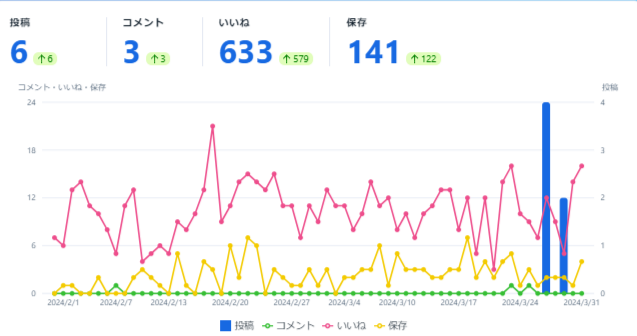
In the "Post overview," you can view data for "number of Posts," "number of Comments," "number of Likes," and "number of Saves" that you have made, displayed in a graph.
Impressions and Reach
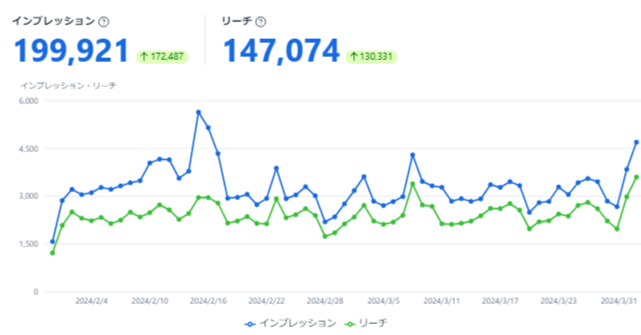
In "Impressions and Reach," you can check the "Impressions and Reach" of your Posts.
Impressions represent the number of times a Post was displayed, while reach indicates the number of unique users who saw the Post.
Engagement Rate
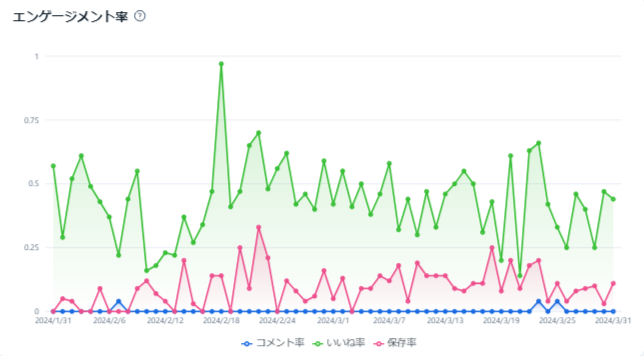
In "Engagement Rate," you can check "Comment Rate," "Like Rate," and "Save Rate."
Comment Rate, Like Rate, and Save Rate are calculated by dividing the number of Comments, Likes, and Saves, respectively, by Reach.
Average engagements by Media Type
In "Average engagements by Media Type," you can check "number of Impressions," "number of Reach," "number of Comments," "number of Likes," "number of Saves," and "number of Shares" for each media type. You can quickly identify media types with high Engagements.

Media
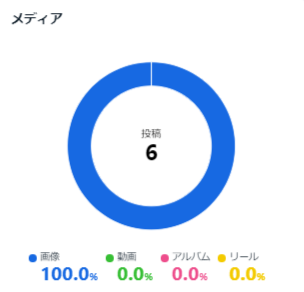
In "Media," you can view the proportion of media in your Posts, displayed in a graph.
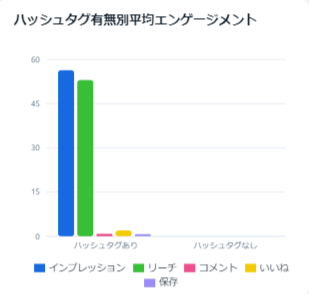
Average engagements by Hashtag Presence
In "Average engagements by Hashtag Presence," you can check "number of Impressions," "number of Reach," "number of Comments," "number of Likes," "number of Saves," and "number of Shares" for your Posts, categorized by Hashtag presence.
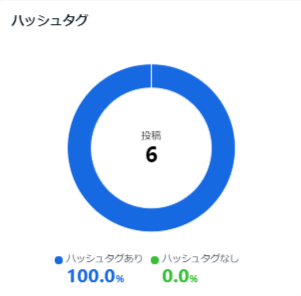
Hashtags
In "Hashtags," you can view the proportion of Hashtag presence in your Posts, displayed in a graph.
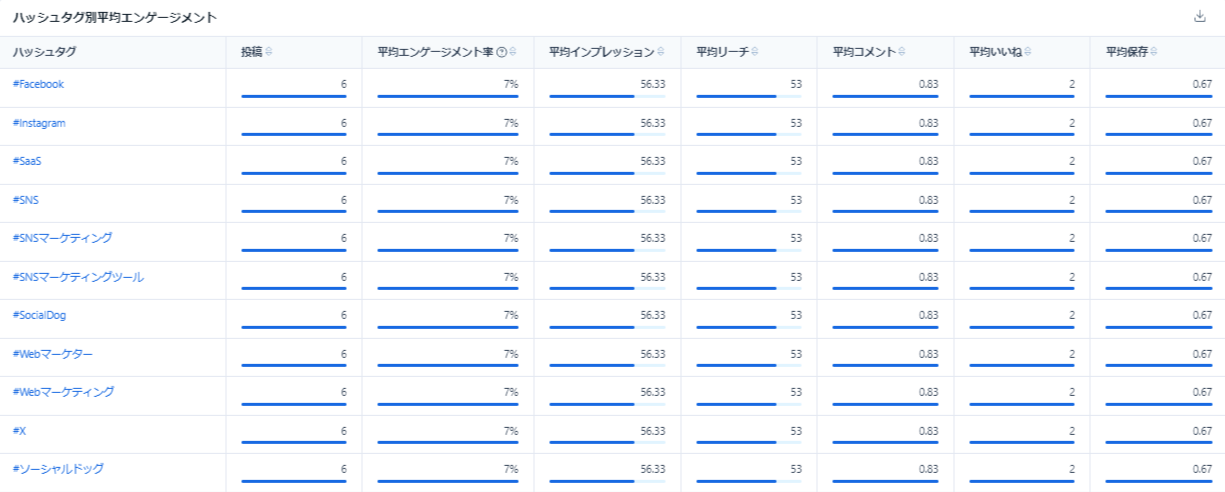
Average engagements by Hashtag
In "Average engagements by Hashtag," you can check the following metrics for each Hashtag used:
- Number of Posts
- Average Engagement Rate
- Average number of Impressions
- Average number of Reach
- Average number of Comments
- Average number of Likes
- Average number of Saves
- Average number of Shares
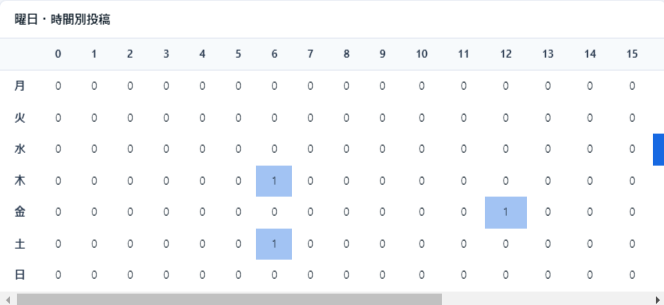
Posts by Time of Week
In "Posts by Time of Week," you can check the distribution of your Post dates and times.
Engagements
In "Engagements," you can check the following metrics on a daily basis:
- Number of Posts
- Number of Impressions
- Number of Reach
- Number of Comments
- Number of Likes
- Number of Saves
- Number of Shares
- Number of Engagements
- Average number of Impressions
- Average number of Reach
- Average number of Comments
- Average number of Likes
- Average number of Saves
- Average number of Shares
- Average number of Engagements
