Send DMs to winners (in bulk)
You can send DMs (Direct Messages) to the winners of your Contests. This can be used to notify winners, etc.
Overview of the "Send DMs in Bulk" Feature
DM Sending Timing
DM sending timing is automatically determined by SocialDog. Depending on the number of messages sent and the sending status of other users, it may not be possible to send all DMs within the same day.
DM Sending Limit (Approximate)
You can send up to 500 messages per 24 hours.
In some cases, such as when sending the same message to everyone, the number of DMs that can be sent may be reduced. If messages cannot be sent, retransmission will occur after 24 hours.
Send DMs in Bulk to Winners
- For the target Contest, open "Winners".
- Click "Send DMs in Bulk".
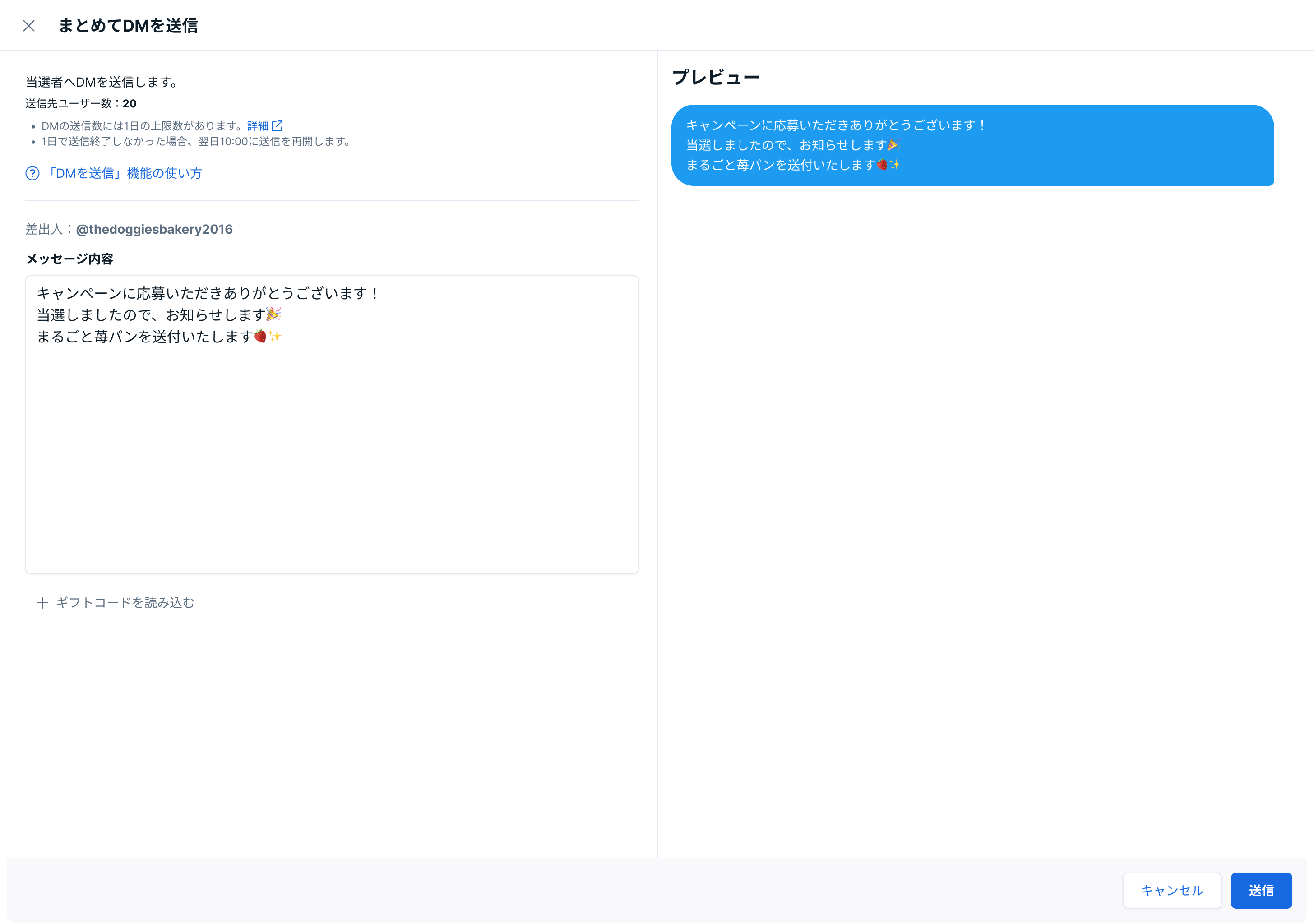
- On the "Send DMs in Bulk" screen, enter the message content and click "Send".
Send DMs by Embedding Gift Codes
When sending DMs in bulk to winners, you can embed individual gift codes in the message.
- On the "Send DMs in Bulk" screen, enter the message content.
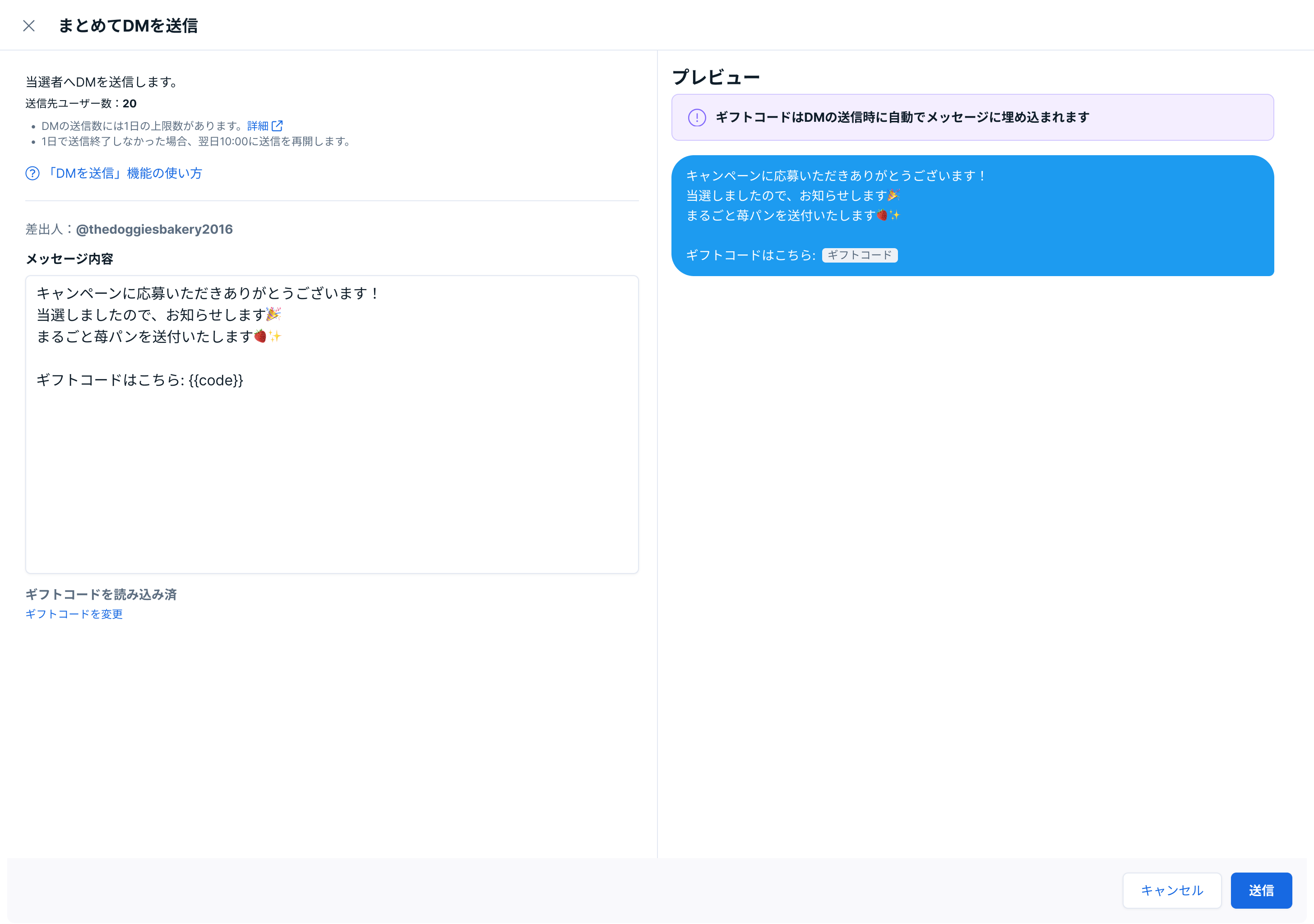
- Click "Load Gift Codes".
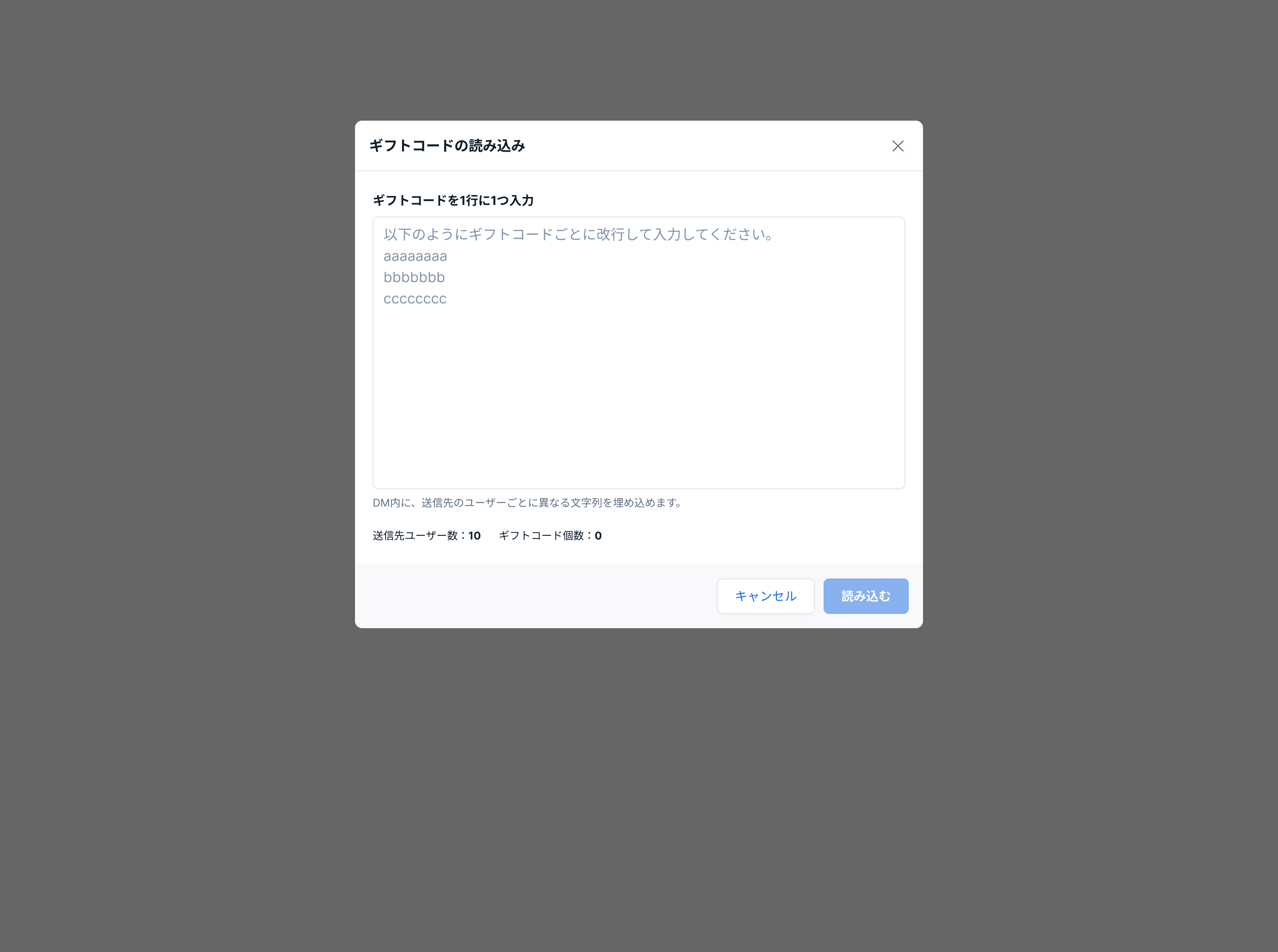
- Enter one gift code per line, and click "Load".
- In "Message Content", enter
{code}where you want to embed the gift code. - Click "Send".
You cannot manually assign gift codes to users. The combination of gift codes and users is automatically determined by SocialDog.
Check DM Sending Status
- When you open "Winners" for the target Contest, you can check the DM sending status for each winner in the "DM Sending Status" column of the winner list.
- Not Sent
- Sending in Progress
- Sent Message
- Failed to Send
If DM Sending Fails
The following are possible causes:
- The sending Account is flagged as spam
- The recipient Account is temporarily frozen
- An issue has occurred on the X (Twitter) side
If DM sending fails, after at least 30 minutes have passed since the failure, please re-send using the following steps.
- Click "Failed to Send" or "Send Failed: N messages".
- In the displayed popover, click "Resend DMs".