Issue with linking X (Twitter) account
Thank you for always using SocialDog, the X (Twitter) account management tool.
Currently, due to a bug on X (Twitter)'s side, an issue is occurring where users logged into X (Twitter) cannot successfully complete the setup when attempting to "Add Social profile" in SocialDog.
If your X (Twitter) Account is frozen, you cannot link it. Please try linking after your Account is unfrozen.
If "This Social profile is linked to another team" is displayed and X (Twitter) linking fails, please check If 'This Social profile is linked to another team' is displayed and X (Twitter) linking fails.
If "This api.twitter.com page cannot be found" and the following screen is displayed, a one-hour lock will be applied, during which Social profile linking will not be possible. Please try linking your Account again after one hour.
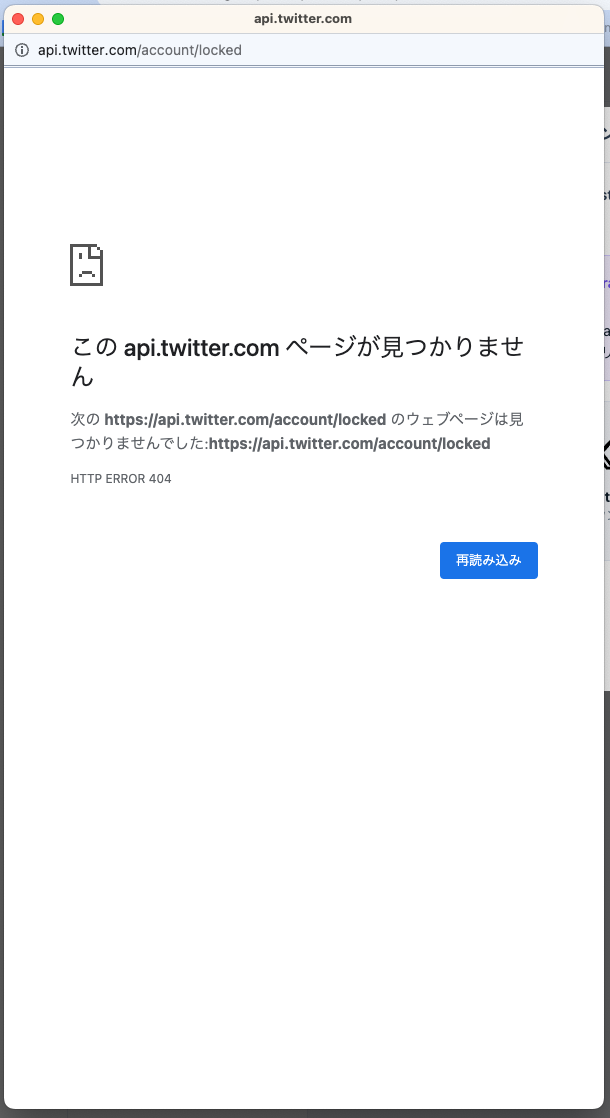
- Cause: When entering your email address and Password on the X (Twitter) authentication screen, repeated authentication failures due to mismatch will result in a lock from X (Twitter).
Therefore, please try the following steps.
- Open your browser's "Incognito mode".
How to use "Incognito mode" varies depending on your browser. For details, please check your browser's Help.
- Google Chrome Help (Incognito Window)
- Firefox Help (Private Window)
- Microsoft Edge Help (InPrivate window)
- Safari Help (Private Browsing)
- Log in with the X (Twitter) Account you wish to link on the official web page.
- Log in to SocialDog and click Add Social profile, and the X (Twitter) authentication screen will be displayed.
- Click "Authorize app".
- After exiting Incognito mode, reopen SocialDog and reload the page.
※If you cannot link using the above steps with your current browser, please try linking using the same steps with a different browser.
If the above steps do not resolve the issue, we will investigate. Please contact us via the inquiry form with the following information:
- The name of the Social profile you attempted to link
- Screenshots or videos of the screen displayed after clicking the link button and logging in
- The browser used to attempt Social profile linking
- The version of the browser used to attempt Social profile linking
How to check "Browser version" varies depending on your browser. For details, please check your browser's Help.